
There are several ways to create a standalone Google Apps Script. A standalone script is not bound to a specific document or spreadsheet, e.g., you are writing a custom add-on for Gmail.
Create an Apps Script project right now
Go the following URL to create a project immediately:
https://script.google.com/home/projects/create
This is equivalent to clicking +New project in the Apps Script editor.
Create a new project in the Apps Scripts editor
- Go to https://script.google.com.
- Click + New Project in the upper-left corner.
Side note: How to find your project in Google Drive
By default, projects are created in the root of your Google Drive. To find it:
- In the script editor, select My projects or All projects in the side menu.
- Hover your mouse over the project.
- Click Locate in Drive
- Your Google Drive will open with the project highlighted.
Your project in Google Drive will have a blue arrow icon (➡️). You can move the project to another location such as a shared drive.
Create in Google Drive
You can create an Apps Script project at the location of your choice (including a shared drive):
- Go to https://drive.google.com.
- Navigate to the folder where you want the project saved.
- Click the + New button, or right-click an empty area of the current folder.
- Select More > Google Apps Script
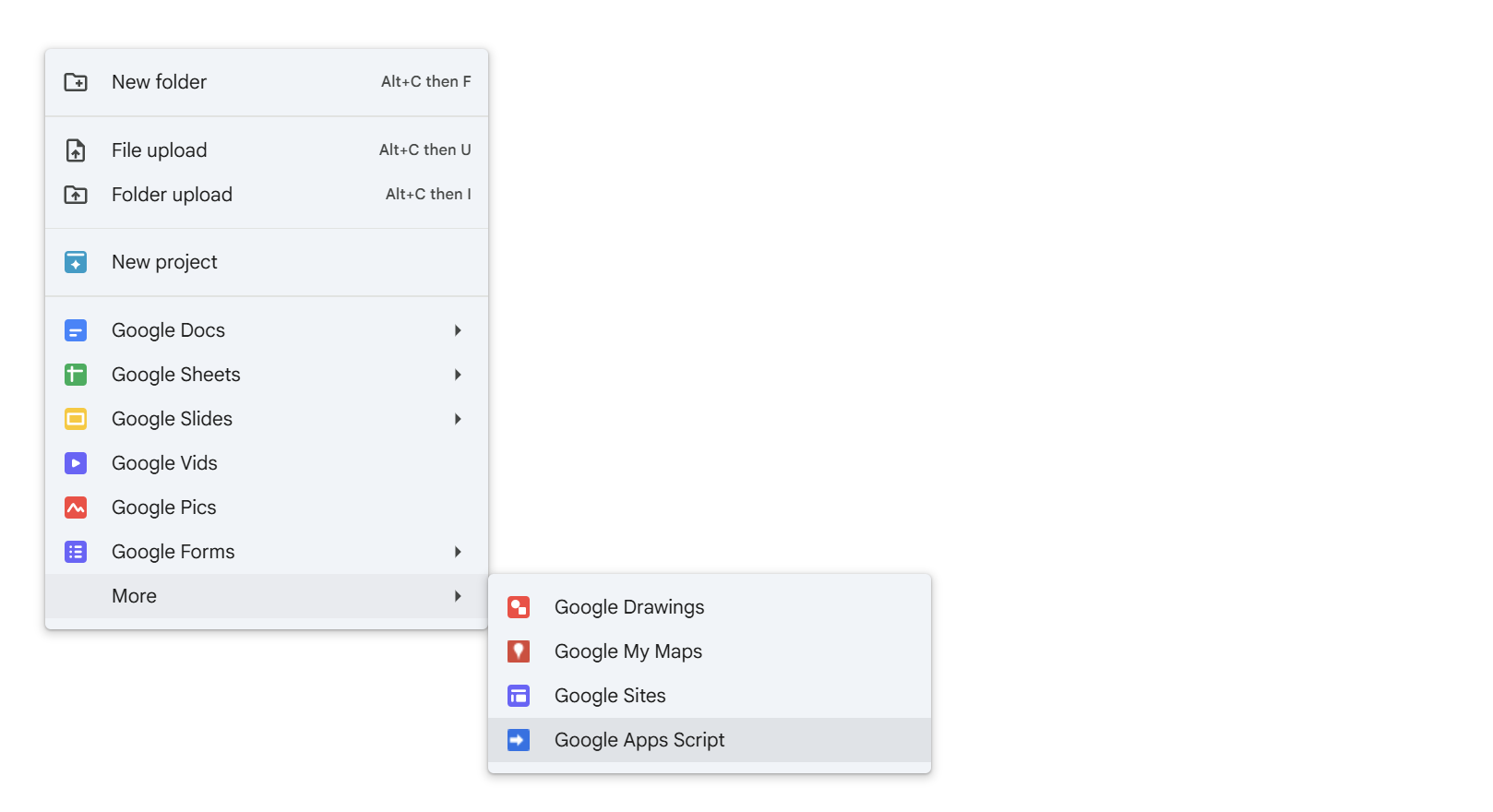
On a shared drive, you will be warned that collaborators will have access to the file and could edit or execute the App Scripts file.
⚠️ The project file may not appear in Google Drive until you save changes.
⚠️ If you create the project on a shared drive rather than your personal drive, it will not appear in your My Projects list in the script editor. You’ll need to view All Projects.
Create in your terminal with clasp
You can upload and download projects with clasp, an open-source Node.js command-line tool. This lets you create projects on your local computer, or manage deployment in Git actions, etc. Refer to the clasp documentation for details.
References
- Script Projects (developers.google.com) – A script project represents a collection of files and resources in Google Apps Script, sometimes referred to as “a script”. A script project has one or more script files which can either be code files (having a .gs extension) or HTML files (a .html extension). You can also include JavaScript and CSS in HTML files.
- Use the command-line interface with clasp (developers.google.com) – To develop and manage Google Apps Script projects from your terminal rather than the Apps Script editor, use the open-source tool clasp.

 You are free to share and adapt this content for any purpose as long as you give appropriate credit in a reasonable manner.
Leave a Reply