
Safe Browsing is a Google Service for checking the safety of a website. You can submit a domain or URL, and Google will check it against a list of unsafe websites. Unsafe websites include:
- Websites with malware
- Websites that attempt to install unwanted software
- Websites that use social engineering and phishing techniques
Check whether a website is safe or unsafe
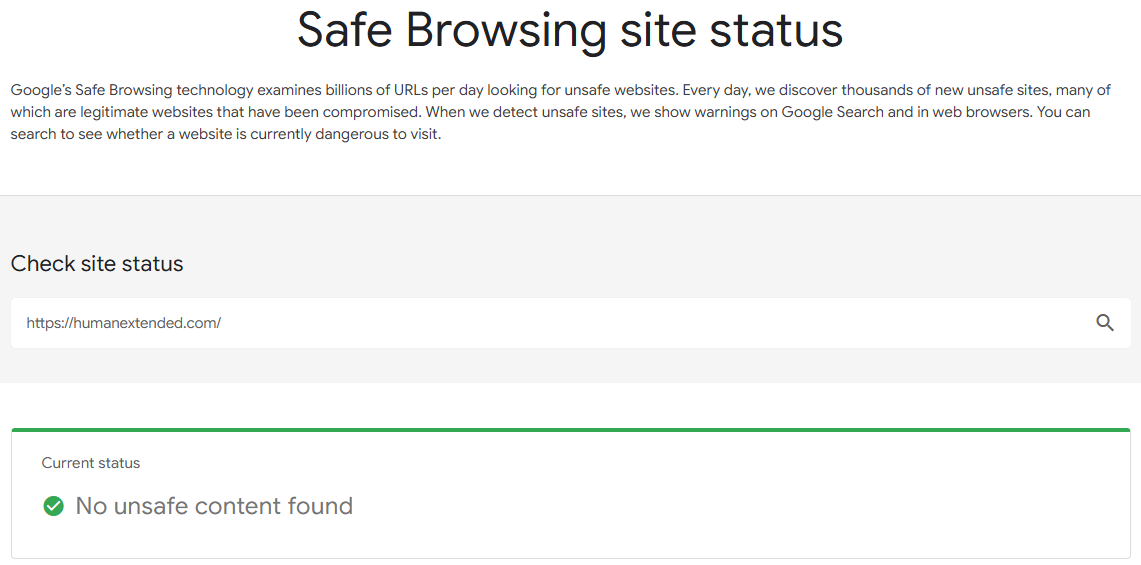
- Go to https://transparencyreport.google.com/safe-browsing/search
- Enter the domain (example.com) or URL (https://example.com/path/to/page)
- Click the search button (magnifying glass)
If the domain or URL does not trigger concerns, you will see ✅ No unsafe content found. Note that Google does not guarantee the domain or URL is safe. It is possible for an unsafe site to fool Google or use malicious techniques unknown to Google.
Share a link to the Google Safe Browsing report
If you want to make a link you can share, send the url parameter as shown below:
Replace humanextended.com with the domain or URL to check. For more sophisticated needs, such as dynamically checking links on your website, look into the Safe Browsing API at Google. This API is free for non-commercial use.
See also
- How to check a domain in Google DNS – you can also look at the underlying DNS records of a domain.

 You are free to share and adapt this content for any purpose as long as you give appropriate credit in a reasonable manner.
Leave a Reply