
Prerequisites
These instructions assume you have already installed the desired PHP package onto the VPS. See Install a PHP version on a GoDaddy VPS with WHM.
Instructions
- If you haven’t already, backup your VPS
- Launch WHM
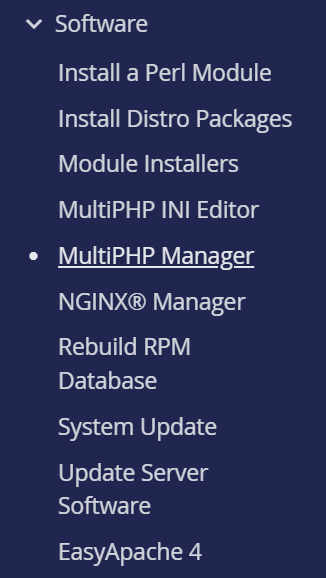
- Click Multi PHP Manager under Software in the left side menu
- Click the User Domain Settings tab
Do not change the system PHP setting. This will affect the entire system. Instead click the User Domain Settings tab to select the PHP version used by your specific website.

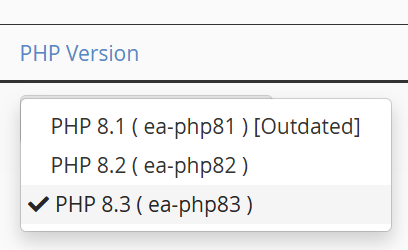
- Locate your domain in the list, and then select the desired PHP version in the PHP Version column.
The change is immediate applied.

 You are free to share and adapt this content for any purpose as long as you give appropriate credit in a reasonable manner.
Leave a Reply