
If your business accepts payments that do not flow through Square directly, you’ll want to add a custom payment method. Such payments methods include:
- DoorDash
- Groupon
- PayPal
- Uber Eats
- Venmo
- Zelle
Although these payment methods are not supported directly in Square, you can configure Square to track them. This makes it easier to report and reconcile transactions later.
Understanding custom payment methods
A custom payment method is selected by your staff when a customer is prompted to pay for their purchase. Square will note the customer paid with the custom payment method, which will show up in reporting.
Advantages of custom payment methods
The key advantage is accurate data resulting in easier reconciliation. Instead of all external payments closing to “other” or cash, you know exactly how each customer paid. And if your customers tip, you’ll have an easier time in payroll because Square can track the tip information.
- More granular reporting of how customers are paying
- Full visibility of payments outside of Square
- Simpler bookkeeping, reconciliation, and tip payouts
- Visibility into consumer payment preferences
That said, there are some limitations to understand.
Limitations of custom payment methods
Square is not integrating with the external payment system. Square does not:
- Process the payment
- Move money into your bank account
- Apply Square fees
- Provide chargeback protection
- Contribute toward a loan repayment plan
It is up to your staff to verify that payment is actually received.
Best practices for a good experience
Be aware that Square does not allow you to edit the name of a custom payment method after creation. Make sure to specify the name carefully with the exact spelling and capitalization you want.
Avoid vague names like “External”. Use clear names like:
- CashApp
- DoorDash
- Groupon
- PayPal
- Uber Eats
- Venmo
- Zelle
At the register, consider making a plaque or flyer with QR codes to opens the payment app(s) with the correct recipient. Many third-party payment systems like Venmo have an option to generate a QR code you can use. In Zelle, you can create a user-friendly tag name instead of requiring the person to search by email or phone number. Check the payment platform for details.
Lastly, remember that Square does not verify payment. Train your staff on how to verify payment before closing the transaction.
How to add a custom payment method to Square using the website
- Sign into your Square dashboard
- Go to Settings > Account & Settings > Payments > Payment Methods from the side menu
- Click Custom payment methods on the top of the screen
If you previously created any custom payment methods, you’ll see them here.
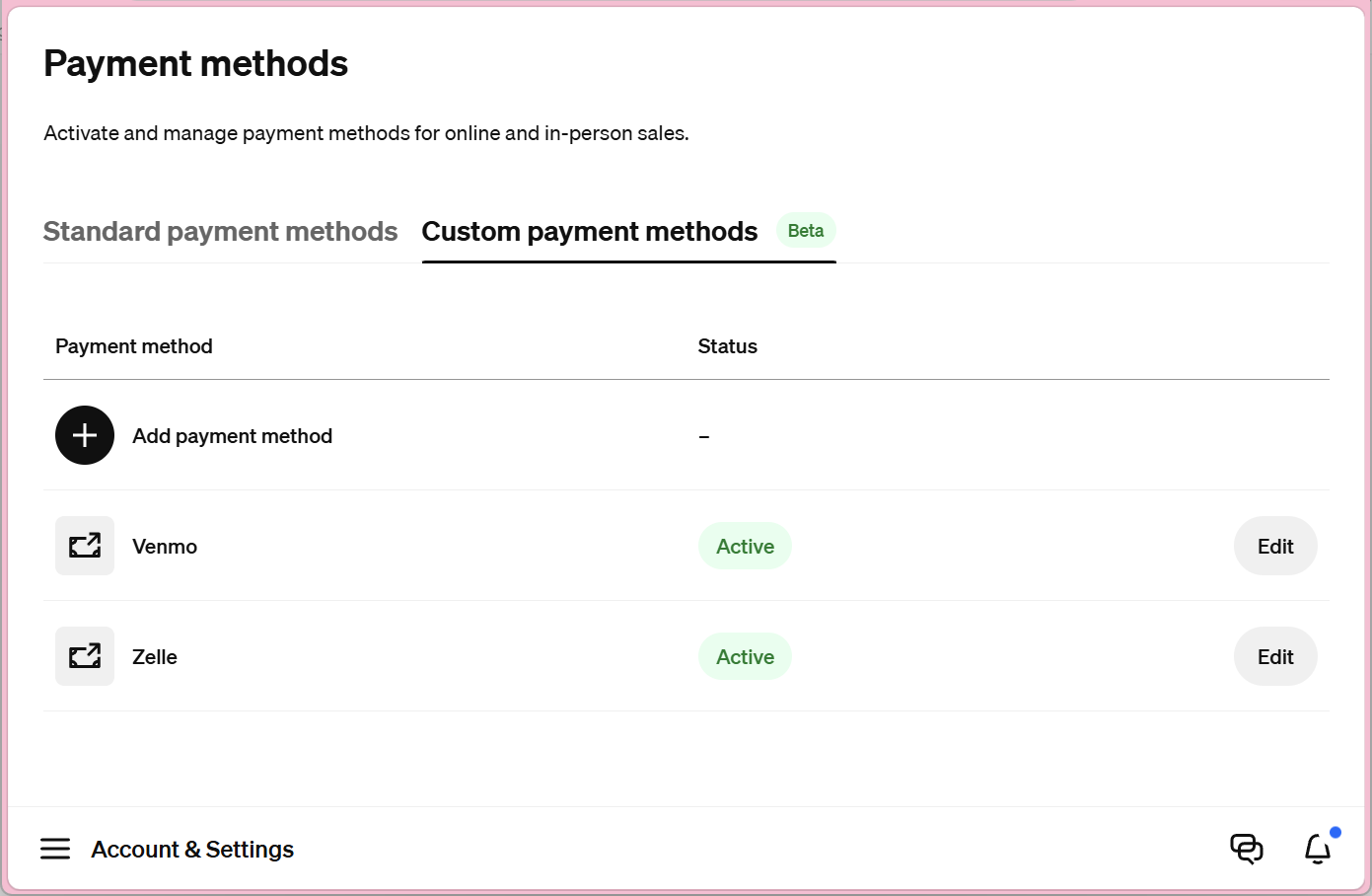
- Click the Add payment method button
- Review the warning that payment methods cannot be edited or removed
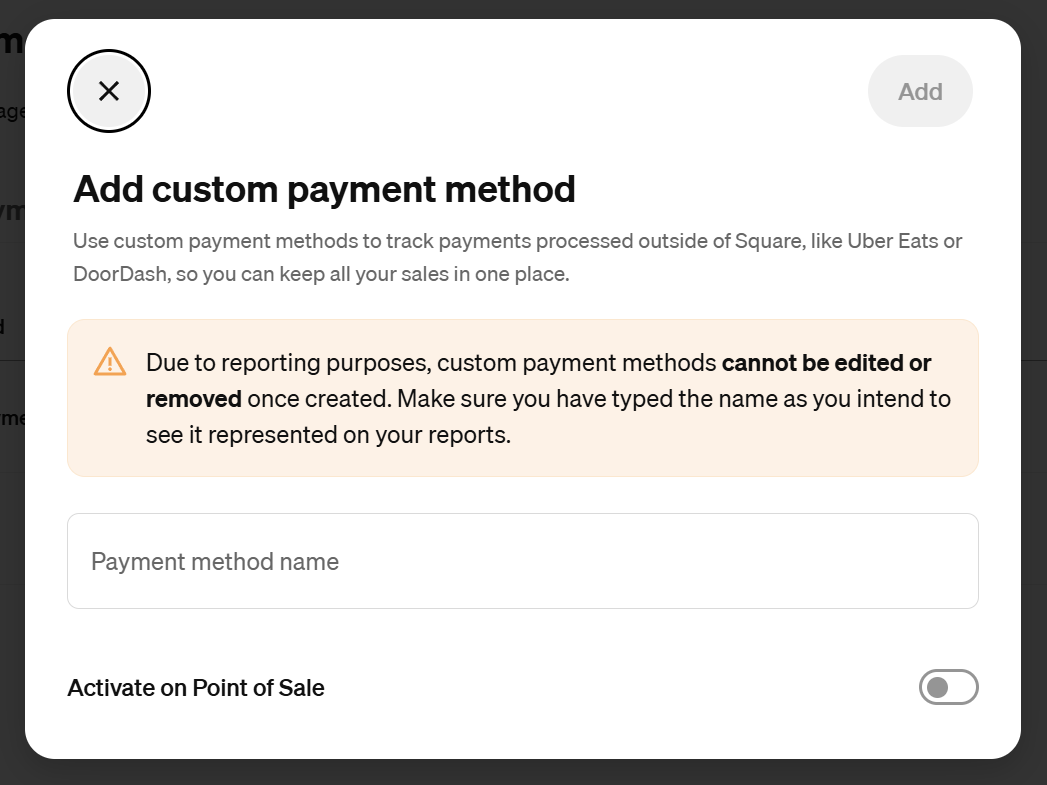
Due to reporting purposes, custom payment methods cannot be edited or removed once created. Make sure have typed the name as you intend to see it represented on your reports. - Type the name of the payment method with exact spelling and capitalization because you cannot change the name later
You cannot edit this name ever again. As a best practice, avoid generic names such as External; clearly identify the payment platform.
- Enable Activate on Point of Sale if you want to start using the payment method immediately at the register
- If you activated the method, enable Capture optional tip with payment if you want to track tips when the custom payment method is used
If customers routinely tip at your business, then enable this option so you can record tip amounts at the point of sale. This will make it easier to reconcile transactions later when you compare your external payments with the transactions in Square.
- Review your settings and then click Add
References
- Track external transactions with Custom Payment Methods | Square Support Center – A Custom Payment Method is a custom named payment method you can use to track orders received from outside payment sources via Square. For example, third-party ordering and delivery, non-Square gift cards, and memberships.) All transactions recorded in the Square Point of Sale app are included in reporting, giving you a comprehensive view of your sales and transactions through Square.

 You are free to share and adapt this content for any purpose as long as you give appropriate credit in a reasonable manner.
Leave a Reply